
Key Features
- Transfer obligations. Provides clear instructions on transferring the domain and any follow-up support from the seller.
- Outlines the website and assets. Clearly defines the domain name being transferred and other digital assets included in the transaction.
- Purchase price and payment structure. Specifies the sales price and whether there is a payment plan after the closing.
- Confidentiality and non-compete clauses. Prohibits either party from sharing the details of the transaction, plus includes non-compete language for the seller.
- Access to all 3rd party accounts. A promise to provide logins to all online accounts to ensure the website remains operational.
How to Buy a Website (5 steps)
1. Negotiate the Terms
The buyer and seller should get together to discuss the terms of the sale. This should include the purchase price for the domain name and all assets included with the day-to-day operations of running the website.
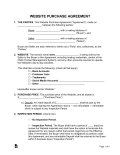 Website Purchase Agreement: Once a verbal agreement is made, it should be converted to a written document. Website Purchase Agreement: Once a verbal agreement is made, it should be converted to a written document.
|
2. Due Diligence
After a deal is made, the buyer should perform due diligence by verifying the seller’s claims.
Ways to Verify
- Domain Ownership: Check WHOIS to confirm the owner, except that most owners make their ownership private.
- Users: Obtain user access to Google Analytics or Google Search Console, or check with third-party websites like Similarweb or SEMrush.
- Revenue: Obtain permissions to view sales through their payment processor, such as Stripe, Shopify, Square, etc.
3. Escrow Services
It is common for the buyer and seller to agree to use an escrow service to help manage the transaction. This allows the payment to be released only when the website has changed hands.
4. Transferring Assets
Once the funds have been secured, the parties should discuss transferring the domain name and the digital assets.
Transfer Checklist
- Domain name:
- Same Registrar: Account number and email are required.
- Separate Registrars: A formal transfer is required, which requires the seller to unlock the domain and give the buyer an EEP or Auth Code.
- Hosting/server access: CPanel, SSH, or other credentials to migrate the website.
- Codebase/IP: GitHub, custom scripts, brand assets, style guides, etc.
- CMS/admin: WordPress, Shopify, or custom admin login.
- E-mail accounts: Gmail (workspace), GoDaddy, or other business email setups.
- Social media accounts: Twitter, LinkedIn, Facebook, or other profiles.
- Third-party services: These include payment processors, advertising accounts, user management tracking, and any other tools needed to run the website.
5. Release Funds
After the transfer is complete, the buyer will be instructed to release the funds to the seller. This should only be done when the buyer has everything necessary to run the website’s day-to-day operations as outlined in the agreement.