
Qualified Expenses
Qualified expenses are tuition, fees, and course materials.[1] They are not:
- Payment for sports, games, or hobbies;
- Room and board;
- Insurance;
- Medical expenses;
- Transportation; and
- Personal expenses.
Previous Versions
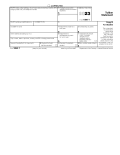
Download: PDF
Who Uses a 1098-T?
Eligible educational institutions file Form 1098-T for every student who paid tuition and related expenses in the tax year. There is no minimum threshold, so all dollar amounts should be reported, however small.
Form 1098-T need not be filed for:
- Courses for which no academic credit is offered;
- Nonresident alien students;
- Students whose tuition and expenses are covered by scholarships; and
- Students whose tuition and expenses are covered by agreement with the student’s employer or a government entity, such as the Department of Defense.[2]
An eligible educational institution is a college, university, vocational school, or other postsecondary educational institution.[3]
A representative of the institution files Form 1098-T with the IRS and then sends a copy of the form to the student to whom it applies. Insurers who make refunds or reimbursements of qualified tuition and related expenses also file Form 1098-T.
Deadlines
The deadline to send a copy of Form 1098-T to the student it names is January 31. The deadline to file a paper copy with the IRS is February 28, and the deadline to file electronically is March 31.[4]
What are Education Credits?
Education credits reduce the amount of tax owed by students (or parents who claim a student as a dependent). The reduction is determined by the amount of qualified tuition and related expenses paid by the student in a tax year.
There are two programs through which students can access education credits, known as the Lifetime Learning Credit and the American Opportunity Credit. Students must use their copies of Form 1098-T to apply for either credit.
- Lifetime Learning Credit: This offers up to $2,000 per tax return. This credit is not refundable, so if the credit exceeds the amount owing, a refund will not be issued.
- American Opportunity Credit: This offers $2,500 per tax return. Forty percent of this credit is refundable, meaning up to $1,000 can be refunded if the credit exceeds the amount of tax owed. Graduate students are not eligible for the American Opportunity Credit.
1098-T Form Parts (15)
Filer’s Information
Filer’s EIN
Student’s TIN
Student’s Information
Service Provider/Account Number
Box 1: Tuition
Box 2
Box 3
Box 4: Adjustments
Box 5: Scholarships or Grants
Enter the total amount of any scholarships or grants paid directly to the educational institution and processed in the tax year. This includes payments from such entities as the Department of Veterans Affairs, the Department of Defense, civic and religious organizations, and nonprofit organizations.
This may reduce the amount of education credit the student can claim for the year.[5]
Box 6: Adjustments to Scholarships or Grants
Box 7
Box 8: Half-time
Box 9: Graduate Student
Box 10: Reimbursement/Refund
Instructions for Filers (6 Steps)
1. Obtain Student’s TIN
2. Obtain Form
3. Complete Form
4. File Copy A with IRS
5. Send Copy B to the Student
6. Retain Copy C for Records
Frequently Asked Questions (FAQs)
What do I do if I receive Form 1098-T?
Use Form 1098-T to complete your annual income tax returns (Form 1040 or 1040-SR).
How do I claim education credit for tuition and expenses I paid?
File Form 8863 along with your annual income tax return. See the Tax Benefits for Education: Information Center for more information.
Who can claim education credit?
To be eligible for education credit, a student must be enrolled at an eligible educational institution and pay tuition and expenses. If a student’s parents claim the student as a dependent, then the student cannot claim education credit, but their parents can. Students whose filing status is “married filing separately” and students who were non-resident aliens for any part of the year cannot claim an education credit.[9]